


The best cloud based accounting software for large businesses in 2026 is Oracle NetSuite for fast-growing multi-subsidiary groups and Sage Intacct for multi-entity groups that need detailed reporting. SAP S/4HANA Cloud, Oracle Fusion Cloud Financials and Workday suit the largest global organizations, while QuickBooks Online Advanced, Xero and Zoho Books fit large single-entity businesses with simpler structures.
Picture a group finance team at month-end. Three entities sit in three separate systems. The team exports trial balances into Excel, eliminates intercompany balances by hand and rebuilds the board pack from scratch. The month-end close runs into its second week, and one analyst holds the whole process together. This is common: a 2025 Datarails study found close to 90% of companies still use Excel for financial processes.
A real example: Ground Control, a satellite IoT company with offices in the US and UK serving 4,500 customers in 130 countries, was formed from the merger of three firms and needed one system for all of them. After moving to Sage Intacct, it cut its monthly close from 11 days to 5 and now receives financial reports twice as fast.
That is the job cloud accounting software does for a large business: every entity, currency and ledger in one live system. This guide compares 10 cloud based accounting solutions, based on Corient’s implementation and month-end delivery work on each platform. For every tool you’ll find pricing, pros and cons, and what our delivery team sees after go-live.
Key takeaways
- Cloud accounting software runs on the vendor’s servers, so every entity, user and report works from the same live data.
- Compare four things: multi-entity consolidation, close speed at high volume, integrations and total cost including implementation.
- Multi-entity groups: NetSuite and Sage Intacct. Largest global organizations: SAP S/4HANA Cloud, Oracle Fusion and Workday.
- Large single-entity businesses: Xero, Zoho Books and QuickBooks Online Advanced, with published prices from $97 to $340 a month.
- Implementation: 2 weeks to 18 months depending on the platform, based on Corient’s delivery work.
What is cloud accounting?
Cloud accounting is the use of accounting software that runs on a vendor’s remote servers and is accessed through a web browser or app. Instead of installing software on company machines, finance teams log in online and work from one live ledger. The vendor handles hosting, security, backups and updates, usually for a subscription fee.
For a large business, the difference shows up at month-end. Older on-premise systems keep each entity in a separate install, so intercompany eliminations and group reporting end up in spreadsheets. Cloud based accounting keeps every entity in one instance, so consolidation, currency translation and audit trails stay inside the system across the whole record-to-report process.
How cloud accounting technology works
Cloud accounting technology is built on the software-as-a-service (SaaS) model. Four layers do the work:
- Hosted data layer: the general ledger and sub-ledgers sit in the vendor’s data centers, replicated across regions for backup and disaster recovery.
- Application layer: AP, AR, cash management, consolidation and reporting modules run on that shared data, so a posted invoice updates every report at once.
- Integration layer: APIs and pre-built connectors link the ledger to banks, payroll, CRM, procurement and inventory systems.
- Access layer: role-based permissions, multi-factor authentication and audit logs control who can see and change what, from any location.
Because the vendor ships updates centrally, every customer runs the same current version. There are no upgrade projects, and new capabilities, such as the AI in accounting tools now handling reconciliations, reach every user at once.
Cloud based accounting vs. on-premise systems for large businesses
Cloud based accounting wins on consolidation, upgrades and cost predictability. On-premise systems still suit businesses with strict data-residency rules or deep custom code they can’t rebuild.
| Factor | Cloud based accounting | On-premise accounting |
|---|---|---|
| Multi-entity close | Continuous, inside the system | Spreadsheet eliminations |
| Upgrades | Vendor-managed, automatic | A project for each release |
| Cost model | Subscription (opex) | License + hardware (capex) |
| Adding an entity | A configuration change | Often a new install |
| Audit trail | Built in, always on | Often bolted on |
| Remote access | Any device, role-based | VPN or remote desktop |
| Disaster recovery | Included by the vendor | Your own infrastructure |
Benefits of cloud accounting software for large businesses
- Faster close: financial close automation handles bank feeds, matching and intercompany eliminations, removing days of manual work from month-end.
- One version of the numbers: finance, operations and leadership read the same live data instead of emailed exports, and financial reporting tools connect directly to the ledger.
- Scale without hardware: new entities, users and currencies are configuration changes, not infrastructure projects.
- Stronger controls: approval workflows, segregation of duties and complete audit logs support SOX and statutory audits.
- Distributed teams: shared service centers, outsourced partners and auditors can work in the same system with scoped access.
- Lower IT overhead: the vendor handles patching, security monitoring and backups.
How we evaluated these cloud based accounting solutions
We shortlisted the 10 platforms that Corient’s delivery team implements, supports or closes the books on for client finance teams. We don’t take payment from any vendor on this list. A Chartered Accountant on our delivery team reviewed every entry, and we re-check each one quarterly against current vendor releases.
| Factor | Weight | What we checked |
|---|---|---|
| Multi-entity and multi-currency | 25% | Consolidation, intercompany eliminations, currency translation |
| Close speed at volume | 20% | Performance above 10,000 transactions a month per entity |
| Integrations | 15% | Native connectors, open API, bank feeds |
| Total cost of ownership | 15% | License, implementation, add-ons, support |
| Controls and compliance | 15% | Audit trail, approvals, SOC 1/SOC 2 reports |
| Support after go-live | 10% | Specialist skills needed, partner ecosystem |
Cloud accounting software comparison at a glance
Published US list prices as of September 2026; quote-based platforms show the pricing model. Implementation times are Corient’s typical ranges for large businesses.
| Software | Best for | Starting price (US list) | Typical implementation |
|---|---|---|---|
| Oracle NetSuite | Fast-growing multi-subsidiary groups | Custom quote; estimates start near $999/month base + per-user fees | 6–12 months |
| Sage Intacct | Multi-entity groups with complex reporting | Custom quote, priced by modules and entities | 3–6 months |
| Microsoft Dynamics 365 Finance | Organizations on Microsoft 365 and Power BI | $210 per user/month | 6–9 months |
| SAP S/4HANA Cloud | Global groups with multi-country statutory reporting | Custom quote | 12+ months |
| Oracle Fusion Cloud Financials | Large finance teams needing deep global controls | Custom quote | 9–18 months |
| Workday Financial Management | Unifying finance and HR on one data core | Custom quote, based on headcount | 9–18 months |
| Acumatica | Businesses that need unlimited users | Custom quote, consumption-based (no per-user fee) | 3–6 months |
| QuickBooks Online Advanced | Large businesses with a single entity and simple structure | $340/month, up to 25 users | 4–8 weeks |
| Xero | Distributed teams needing unlimited users | $97/month on Established from October 1, 2026 (previously $90) | 2–6 weeks |
| Zoho Books | Cost-conscious businesses in the Zoho ecosystem | $275/month on Ultimate (up to 15 users) | 2–6 weeks |
Price sources: QuickBooks Online Advanced, Xero, Zoho Books, Dynamics 365 Finance and NetSuite estimate, checked September 25, 2026. Prices change, so confirm on each vendor’s pricing page before buying. Implementation partner fees are extra on every platform.
The 10 best cloud based accounting software for large businesses
Each entry below covers who the platform suits, standout features, pricing, pros and cons, and what Corient’s delivery team sees after go-live.
1. Oracle NetSuite: best for fast-growing multi-subsidiary groups
NetSuite is a cloud ERP with financials at its core, plus inventory, order management, CRM and ecommerce in the same system. Its OneWorld module handles subsidiaries, currencies and tax regimes in one instance, making it the default shortlist choice for groups expanding into new countries.
Standout features
- OneWorld consolidation across subsidiaries, currencies and tax jurisdictions
- Real-time role-based dashboards and saved searches
- Revenue recognition for complex contracts and subscriptions
- SOX-ready controls, approval workflows and audit trails
Pricing: custom quote. Base license plus per-user fees and optional modules, on an annual contract. Implementation partner fees are extra.
| Pros | Cons |
|---|---|
| Finance, operations and CRM on one platform | Long implementation, 6–12 months |
| Strong subsidiary consolidation | Relies on specialist consultants |
| Scales without re-platforming | Pricing isn’t transparent |
From Corient’s delivery team: OneWorld handles subsidiary consolidation well, but saved searches and role permissions are where clients stall. Budget dedicated configuration time before go-live rather than after.
2. Sage Intacct: best for multi-entity groups with complex reporting
Sage Intacct is a finance-first cloud accounting system. It is known for continuous consolidation and dimensional reporting, which lets finance teams slice results by entity, department, project or location without a bloated chart of accounts.
Standout features
- Continuous consolidation with automated intercompany eliminations
- Dimensional reporting across entity, location, department and project
- AI-assisted anomaly detection in the general ledger
- Core AP, AR, cash management and purchasing modules on one ledger
Pricing: custom quote, priced by modules, users and entity count.
| Pros | Cons |
|---|---|
| Fast multi-entity close | Inventory and CRM need third-party tools |
| Flexible, granular reporting | No published pricing |
| Strong audit and compliance controls | Partner-led implementation adds cost |
From Corient’s delivery team: Dimensional reporting only pays off if the dimension structure is agreed before migration. Reworking dimensions after launch means restating history.
3. Microsoft Dynamics 365 Finance: best for organizations on Microsoft 365
Dynamics 365 Finance is Microsoft’s cloud financial management application for large, multi-country organizations. It connects natively with Excel, Teams and Power BI, so adoption is fastest where those tools are already standard.
Standout features
- AI-driven cash flow and customer payment predictions
- Multi-entity, multi-currency and intercompany accounting
- Global tax and regulatory reporting with country localizations
- Native Excel, Teams and Power BI integration
Pricing: $210 per user/month list price for a full user; lower-cost activity and team member licenses exist for approvers and read-only users.
| Pros | Cons |
|---|---|
| Deep Microsoft ecosystem fit | Steep learning curve for non-ERP users |
| Strong global compliance coverage | Per-user costs rise quickly at scale |
| Flexible license types by role | Implementation typically 6–9 months |
From Corient’s delivery team: Teams already on Power BI adopt this fastest. The friction is mapping data from a legacy chart of accounts, not the interface.
4. SAP S/4HANA Cloud: best for global groups with multi-country statutory reporting
SAP S/4HANA Cloud runs finance on SAP’s in-memory HANA database, processing high transaction volumes in real time. It is built for the largest global organizations that file statutory accounts in multiple countries.
Standout features
- Universal Journal: one source for financial and management accounting
- In-memory processing for real-time reporting at high transaction volumes
- Embedded AI for routine automation and anomaly detection
- Country-specific localizations for statutory reporting
Pricing: custom quote, typically the highest in this list.
| Pros | Cons |
|---|---|
| Handles the highest volumes and complexity | Highest total cost of ownership |
| Broad statutory localization | Implementation often 12+ months |
| Single source of truth for all finance data | Needs specialist SAP skills to run |
From Corient’s delivery team: Justified where statutory reporting spans multiple jurisdictions. Below that threshold, clients pay for complexity they never use.
5. Oracle Fusion Cloud Financials: best for large finance teams needing deep global controls
Oracle Fusion Cloud Financials is Oracle’s cloud finance suite for large, global organizations, distinct from NetSuite. It covers the full record-to-report cycle with strong controls and embedded AI insights.
Standout features
- Faster close and stronger controls with contextual AI insights
- Receivables, collections and revenue management
- AI recommendations for cash collection and payment optimization
- Assets and leasing management
Pricing: custom quote, based on modules and users.
| Pros | Cons |
|---|---|
| Built for complex global finance | Long implementation, often 9–18 months |
| Strong controls and audit features | Overkill for single-country businesses |
| Vendor-managed updates | Requires a certified implementation partner |
6. Workday Financial Management: best for unifying finance and HR
Workday Financial Management shares one data core with Workday HCM, so finance and people data live in the same system. That gives large organizations a clear view of workforce costs alongside the ledger.
Standout features
- Single data core for finance and HR
- Planning, budgeting and forecasting on live data
- Built-in procurement and spend management
- AI-driven anomaly detection for audit and controls
Pricing: custom quote, usually based on employee headcount.
| Pros | Cons |
|---|---|
| Workforce cost insight other tools can’t match | Heavy change management load |
| Strong audit and security model | Implementation often 9–18 months |
| Consistent, modern interface | Best value only alongside Workday HCM |
From Corient’s delivery team: The finance and HR single data core is real, and so is the change management load. Plan for parallel running across two close cycles.
7. Acumatica: best for businesses that need unlimited users
Acumatica is a cloud ERP priced on the computing resources you use rather than per user. That suits large businesses where hundreds of staff need occasional access for approvals, time entry or reports.
Standout features
- Consumption-based pricing with unlimited users
- Open architecture for custom development and integrations
- Industry editions for distribution, manufacturing and construction
- Multi-entity and multi-currency financials
Pricing: custom quote, based on resource consumption and modules; no per-user fee.
| Pros | Cons |
|---|---|
| Unlimited users at no extra cost | Annual cost harder to predict |
| Flexible, open platform | Consumption tiers need careful sizing |
| Strong industry editions | Advanced reporting may need add-ons |
From Corient’s delivery team: Consumption pricing suits seasonal businesses, but it makes annual budgeting harder. Model your peak month, not your average.
8. QuickBooks Online Advanced: best for large single-entity businesses with simple structures
QuickBooks Online Advanced is Intuit’s top native cloud accounting plan. It suits large businesses that run one or a few entities and want a familiar interface, fast setup and access to Intuit’s ProAdvisor network of certified accountants.
Standout features
- Up to 25 users with custom roles and permissions
- Workflow automation for approvals and reminders
- Batch invoicing
- 24/7 priority support
Pricing: $340/month US list price from August 2026 (up to 25 users). Payments processing and some add-ons are extra.
| Pros | Cons |
|---|---|
| Quick to implement, 4–8 weeks | No native multi-entity consolidation |
| Certified ProAdvisor accountants available | 25-user cap |
| App integrations for payroll, payments and ecommerce | List price rose from $275 to $340 in August 2026 |
9. Xero: best for distributed teams needing unlimited users
Xero is a native cloud accounting platform with unlimited users on every plan and more than 1,000 app integrations. Large businesses with lighter transaction volumes use it for its simplicity and low cost per user.
Standout features
- Unlimited users on all plans
- More than 1,000 integrations in the Xero App Store
- Multicurrency, projects and analytics on the Established plan
- Hubdoc for automated bill and receipt capture
Pricing: $90/month for Established (US list), rising to $97/month on October 1, 2026.
| Pros | Cons |
|---|---|
| Unlimited users keep costs flat | No native multi-entity consolidation |
| Clean interface, fast adoption | Reporting slows at high volumes |
| Hubdoc bill capture included | No phone support |
From Corient’s delivery team: Excellent below roughly 5,000 monthly transactions per entity. Above that, reporting slows and clients typically move consolidation into a separate tool.
10. Zoho Books: best for cost-conscious businesses in the Zoho ecosystem
Zoho Books is an affordable cloud accounting platform that connects natively with Zoho CRM, Inventory and Analytics. Its Ultimate plan adds advanced analytics and higher usage limits for larger teams.
Standout features
- Custom functions and workflows written in Deluge script
- Zoho Analytics built into the Ultimate plan
- Client and vendor portals
- Native links to the wider Zoho suite
Pricing: $275/month for Ultimate (US monthly billing), with up to 15 users and 100,000 invoices a year; extra users cost $3 per user/month.
| Pros | Cons |
|---|---|
| Low cost for a broad feature set | 15-user cap on the top plan |
| Strong automation tools | Limited third-party integrations |
| Seamless Zoho suite fit | Support can be slow at close |
From Corient’s delivery team: Deluge custom functions automate workflows that would otherwise need paid add-ons. Support response times are the trade-off when close is time-critical.
How to choose the right cloud based accounting solution
Start with the finance problems you need to fix, not the feature lists. A platform that solves your close and consolidation pain is worth more than one with the longest spec sheet.
- List today’s pain points. Name where time is lost: month-end close, consolidation, reconciliations, approvals or rekeying between systems.
- Match the platform to your structure. Count entities, currencies and monthly transactions per entity. Single-entity businesses can use QuickBooks Online Advanced or Xero; multi-entity groups need NetSuite, Sage Intacct or larger.
- Test consolidation with your own data. Ask each vendor for a proof of concept using a real month of your transactions, not a scripted demo.
- Check integrations early. Integration is a common sticking point: a Deloitte survey found 36% of tax and finance executives cite integrating tax-related data across the company as a major challenge. Confirm which connectors are native and which need middleware.
- Price the full cost of ownership. Add licenses, implementation, data migration, training, add-ons and post-go-live support for three years. Include the team that will run it, and compare outsourced accounting vs. an in-house team for that role.
- Plan for 5x growth. Ask whether the system can handle five times today’s transaction volume and new entities without re-platforming.
Signs you’ve outgrown your current accounting system
- Consolidation and intercompany eliminations happen in spreadsheets.
- Month-end close takes more than 10 working days.
- Board reporting depends on manual exports and one key person.
- You can’t report by entity, department, project or region without rework.
- Approvals happen by email instead of inside the system.
- User caps or performance limits slow your team at close.
If these sound familiar, the software may not be the only gap. Our guide to the signs your business has outgrown its accounting function covers the people and process side.
How to migrate to cloud accounting software
| Step | What happens | Output |
|---|---|---|
| 1. Scope and requirements | Map entities, processes, reports and integrations | Signed-off requirements |
| 2. Chart of accounts and dimensions | Agree account structure and reporting dimensions before any data moves | Final chart of accounts |
| 3. Data cleansing and migration | Clean master data; load opening balances and history | Reconciled opening balances |
| 4. Integrations and testing | Connect banks, payroll and CRM; run user acceptance testing | Tested, approved system |
| 5. Parallel run | Close 1–2 months in both systems and reconcile the results | Matching trial balances |
| 6. Go-live and hypercare | Switch off the old system and resolve issues quickly | Stable first close |
In Corient’s migration projects, skipping the second step is the most common cause of rework. Agree your chart of accounts and reporting dimensions before moving any data, and run old and new systems in parallel for at least one month-end close.
Is cloud accounting technology secure for large businesses?
Yes, when you choose an established vendor and configure it well. Leading platforms provide encryption in transit and at rest, multi-factor authentication, role-based access and independent audit reports. Before signing, ask for:
- SOC 1 Type II and SOC 2 Type II reports
- ISO 27001 certification
- Data residency options for GDPR and local regulations
- Uptime SLAs and disaster recovery commitments
- Segregation-of-duties controls that support SOX compliance
Getting more from your cloud based accounting solution
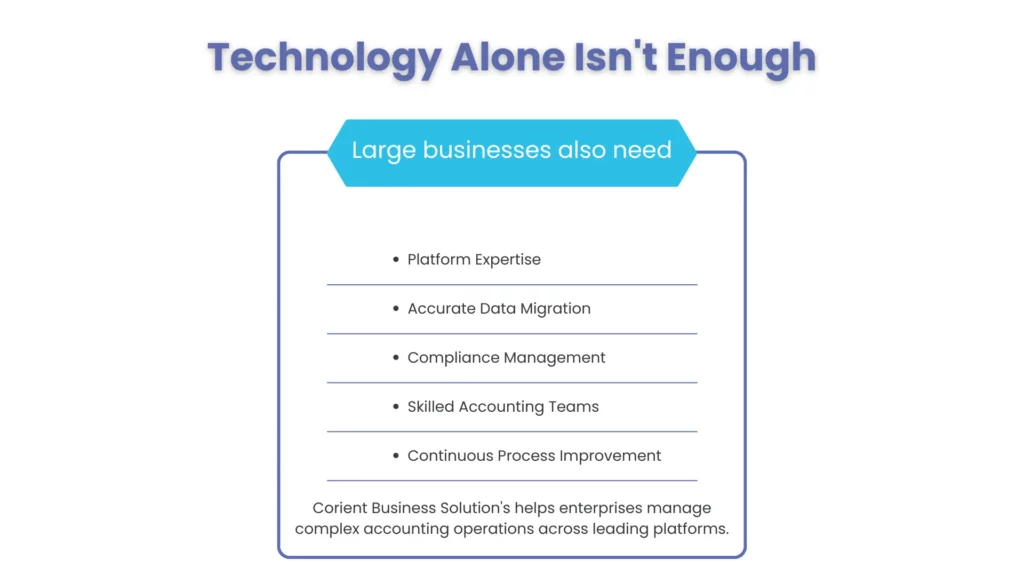
Choosing the software is the first step; the value comes from configuration, clean data and a disciplined close. Corient’s Chartered Accountants work across all 10 platforms in this guide, handling record-to-report, procure-to-pay and order-to-cash processes for large finance teams. That gives you specialist platform skills and extra capacity at month-end without adding full-time headcount.
Need help running your close on one of these platforms?
People Also Ask:
What is cloud accounting?
Cloud accounting is managing a company’s finances with software hosted on a vendor’s servers and accessed online. The ledger, reports and integrations sit in one hosted system, so every user works from the same live data. The vendor manages security, backups and updates for a subscription fee.
What is the best cloud based accounting software for large businesses?
For multi-entity groups, start with NetSuite or Sage Intacct. SAP S/4HANA Cloud, Oracle Fusion Cloud Financials and Workday suit the largest global organizations. Large single-entity businesses with simpler needs can use QuickBooks Online Advanced, Xero or Zoho Books.
How much does cloud accounting software cost for a large business?
Published plans run from $97 to $340 a month: Xero Established ($97 from October 1, 2026), Zoho Books Ultimate ($275) and QuickBooks Online Advanced ($340). Platforms built for multi-entity groups are quote-based; in Corient’s client projects, their licenses typically run $10,000 to $100,000+ a year, plus implementation.
How long does it take to implement cloud accounting software?
From 2 weeks for Xero or Zoho Books to 18 months for Oracle Fusion or Workday. In Corient’s projects, NetSuite and Sage Intacct implementations typically take 3–12 months.
Can cloud based accounting handle multi-country tax compliance?
Yes. Platforms such as NetSuite OneWorld, Dynamics 365 Finance, SAP S/4HANA Cloud and Oracle Fusion include built-in tax engines and country localizations for VAT, GST and statutory reporting.
Do I need an implementation partner?
For NetSuite, Sage Intacct, Dynamics 365, SAP, Oracle and Workday, yes. A partner configures the system to your processes and migrates your data accurately. Xero, Zoho Books and QuickBooks Online Advanced can usually be set up by an experienced in-house or outsourced accounting team.
Conclusion: choosing the best cloud based accounting software
The best cloud based accounting software for a large business is the one that matches your entity structure, transaction volume and reporting needs. Multi-entity groups should start with NetSuite or Sage Intacct and move up to SAP, Oracle Fusion or Workday only when global complexity demands it. Single-entity businesses can get strong results from QuickBooks Online Advanced, Xero or Zoho Books at a fraction of the cost.
Whichever platform you choose, the payoff depends on implementation and the close process that runs on it.
Ready to close faster on NetSuite, Sage Intacct, Xero or any platform in this guide? Book a free consultation with Corient